Your characters keep fighting.
You command from your phone.
No waiting at the PC, nothing to install. Watch your characters live, control them remotely — and feel your phone buzz the moment a SOX drops.
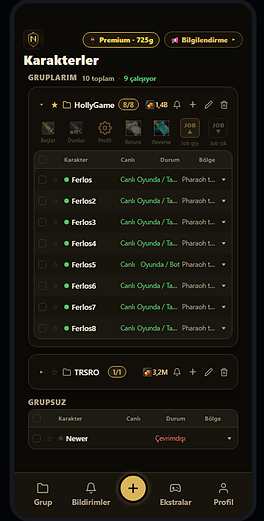
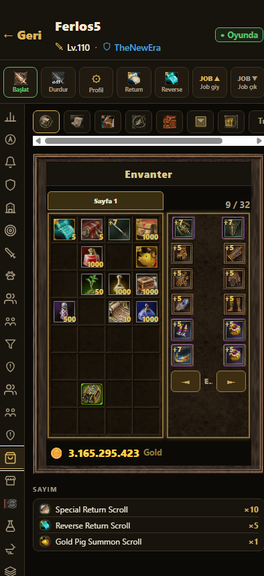
Something new every week
The app and the plugin are developed together; everything below arrived in the latest releases.
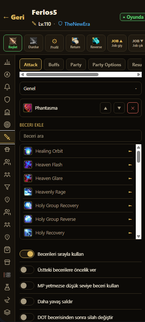
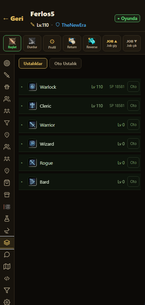
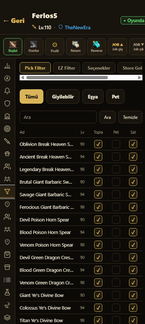
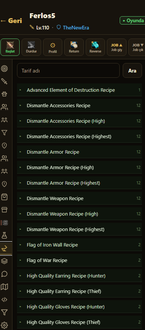
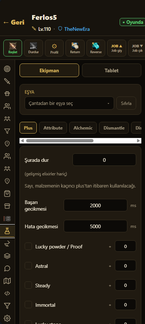
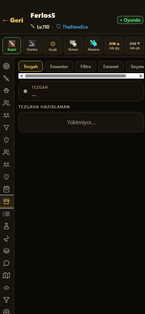

Seamless phBot integration
No separate program, no files to drop. Our plugin ships embedded in phBot — just tick xNsyLMobile in the Plugins list. Your character is on your phone in seconds.
Play, climb the ranks, earn Premium
Alchemy with real Silkroad art and sounds: pick your weapon, enhance, risk the burn. The monthly top five earn real Premium days on their account.


Setup takes 2 minutes
Nothing to download. phBot already runs on your PC — we just make it talk to your phone.
Create your account
Open the site in your phone's browser and sign up. It takes a minute.
Paste the Plugin Key
Add your character in the app and paste the Plugin Key into the xNsyLMobile plugin in phBot.
Add to Home Screen
Your character appears live instantly. Add the site to your Home Screen — it opens like a real app.
One price, no hidden fees
No credit card, no auto-renewal. You buy a code for the package you want and the time lands on your account instantly.
 ·
— codes are delivered instantly
·
— codes are delivered instantly
How do I use the code? Open the app → Profile tab → Premium Code → type the code → Use Code. The time stacks on top of your current membership, so you lose no days.
Something wrong? [email protected] · Official enquiries: [email protected]

Frequently asked questions
Do I download the app from the App Store or Play Store?
No. NsyL Companion is a web app — open it in your phone's browser, tap "Add to Home Screen" and it works like a real app. Use Safari on iPhone, Chrome on Android. Updates arrive automatically; there is nothing to download.
Do I need to install anything on my PC?
No — you don't even drop a file. Our plugin ships embedded in phBot; just tick xNsyLMobile in phBot's Plugins list. Keep using phBot exactly as before.
Do I have to give my Silkroad account password?
Absolutely not. The app never touches the game client; it only shows data relayed by the phBot plugin on your PC and forwards your commands to it. Your Silkroad username and password never reach us.
How many characters can I connect?
Unlimited with Premium. Add one character per phBot window; they all sit under one account, can be grouped and receive bulk commands.
Why don't I get nearby hunter / thief / trader alerts?
These alerts are supported on private servers only. On official servers, TRSRO included, phBot does not share the nearby players' job data, so the alerts cannot be delivered. Every other notification — SOX, stall sales, death, attacks, GM, disconnects — works on all servers.
What if my PC or internet goes down?
Your phone gets an alert the moment the connection drops. When it comes back the plugin reconnects on its own; you don't have to do a thing.
How do I pay?
You buy a code for the package you want on ByNoGame (1, 3, 6 or 12 months). The code is delivered instantly; type it into Profile → Premium Code in the app and the time is added to your account. There is no auto-renewing subscription — renew only if you want to when it runs out. If anything goes wrong, use in-app Live Support, [email protected] or Discord (insyl).
Your characters are waiting.
Wherever you are, so is the control.
Where do I get phBot?
NsyL Companion works alongside phBot on your PC. Get a license from the channels below, then connect it to your phone in two minutes.
 OUR STORE PAGE
Buy your phBot license from our ByNoGame store with payment methods that work in Türkiye.
phBot's official community server. Contact iNsyL to purchase.

Our own community server. Reach us here for questions, bug reports and purchases.
phBotOFFICIAL SITEGet the license straight from phBot's developer via the official site.
Our showcase topic: "Mobile control for phBot" — you can post questions there too.
Already have phBot? Jump to the setup guide.